 Christine Elisabeth Koppel
1856954269
Christine Elisabeth Koppel
1856954269

All checks were successful
Build Nix modules (dry-run) / build-modules (push) Successful in 4m0s
2.3 KiB
2.3 KiB
I presume you checked the logs see the oh shit when you ran these commands
[traefikprg@nixos-traefik:~]$ df -H
Filesystem      Size  Used Avail Use% Mounted on
devtmpfs        818M     0  818M   0% /dev
tmpfs           8,2G     0  8,2G   0% /dev/shm
tmpfs           4,1G  4,6M  4,1G   1% /run
/dev/sda1        20G   19G     0 100% /
tmpfs           1,1M     0  1,1M   0% /run/credentials/systemd-journald.service
tmpfs           8,2G  1,4M  8,2G   1% /run/wrappers
tmpfs           1,7G   13k  1,7G   1% /run/user/995
tmpfs           1,7G   13k  1,7G   1% /run/user/1000

[traefikprg@nixos-traefik:~]$ lsblk
NAME   MAJ:MIN RM  SIZE RO TYPE MOUNTPOINTS
sda      8:0    0   83G  0 disk
└─sda1   8:1    0   19G  0 part /nix/store
                                /
sr0     11:0    1  3,4G  0 rom
zram0  253:0    0  7,6G  0 disk [SWAP]

[traefikprg@nixos-traefik:~]$ sudo fdisk -l
[sudo] password for traefikprg:
Sorry, try again.
[sudo] password for traefikprg:
Disk /dev/sda: 83 GiB, 89120571392 bytes, 174063616 sectors
Disk model: QEMU HARDDISK
Units: sectors of 1 * 512 = 512 bytes
Sector size (logical/physical): 512 bytes / 512 bytes
I/O size (minimum/optimal): 512 bytes / 512 bytes
Disklabel type: dos
Disk identifier: 0x44a3447a

Device     Boot Start      End  Sectors Size Id Type
/dev/sda1  *     2048 39845887 39843840  19G 83 Linux


Disk /dev/zram0: 7,62 GiB, 8176795648 bytes, 1996288 sectors
Units: sectors of 1 * 4096 = 4096 bytes
Sector size (logical/physical): 4096 bytes / 4096 bytes
I/O size (minimum/optimal): 4096 bytes / 4096 bytes
Well, panic and then you look up how to increase disk space size.
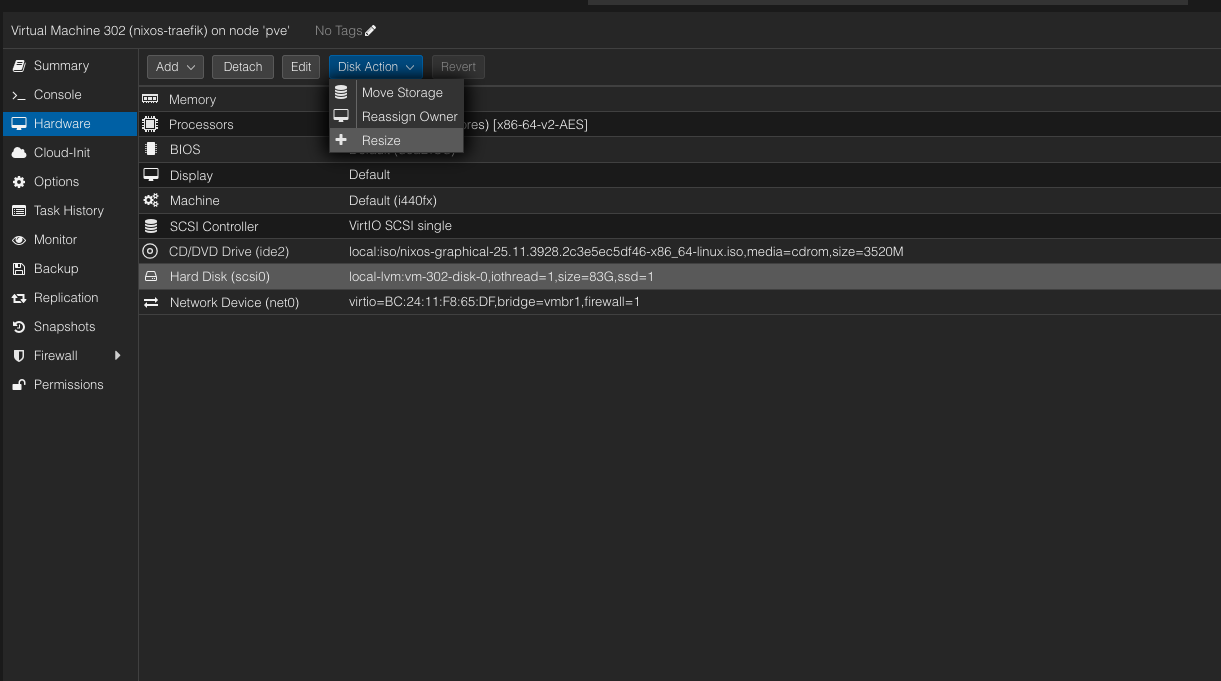
I presume you have already tried to naively increase the disk size through the proxmox' increase disk space but after reboot still not increasing? Yeah, I learned that the hard way that ISO based solution does not implicitly change it.
Try to change to boot order to boot into ISO and Gparted and pray
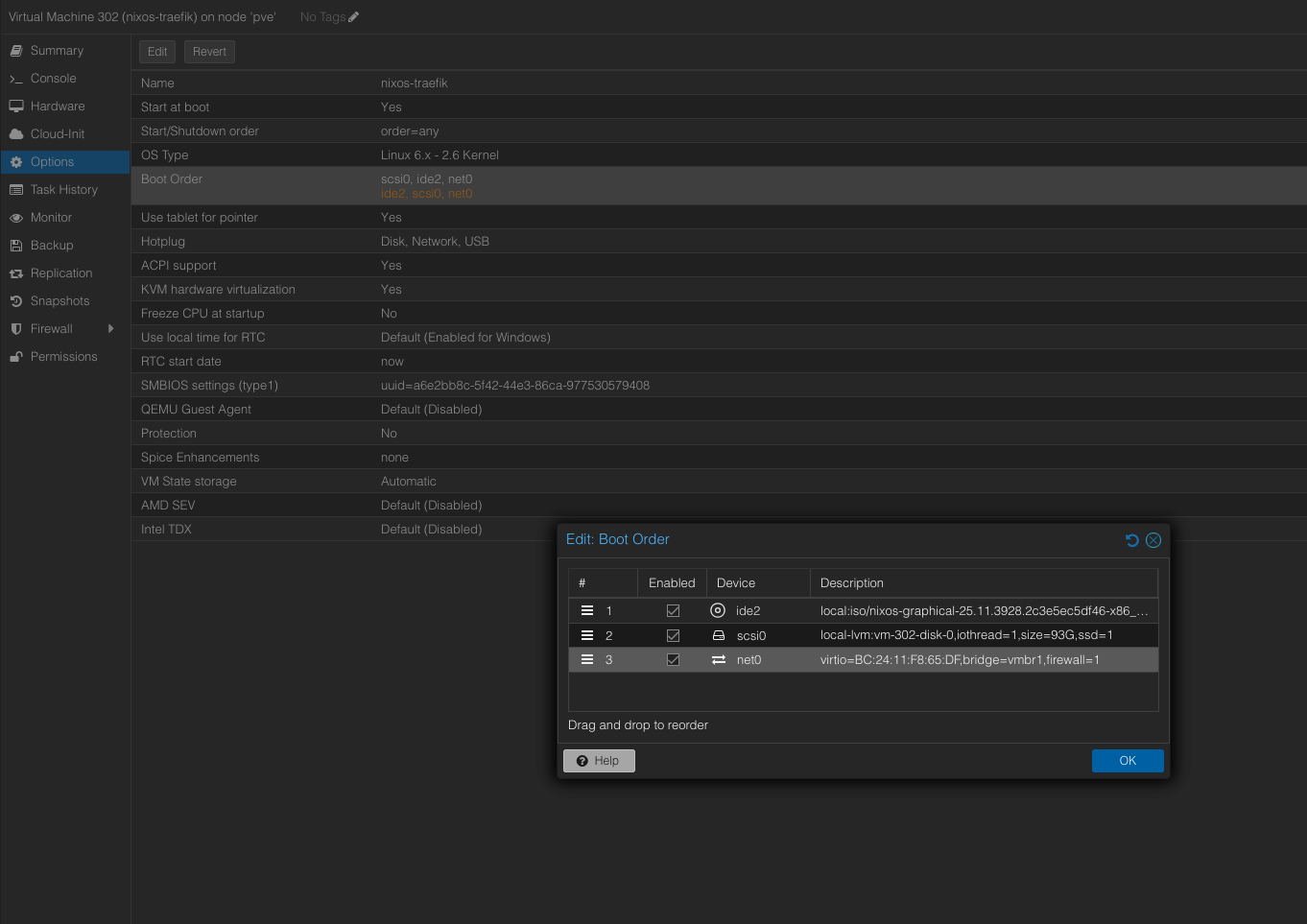
Warning
NOTE THAT REBOOT DOES NOT CHANGE THE BOOT ORDER... APPARENTLY, SHUTDOWN, WAIT AND THEN START AGAIN
Use gparted to just resize the partition and hopefully ends up fine.
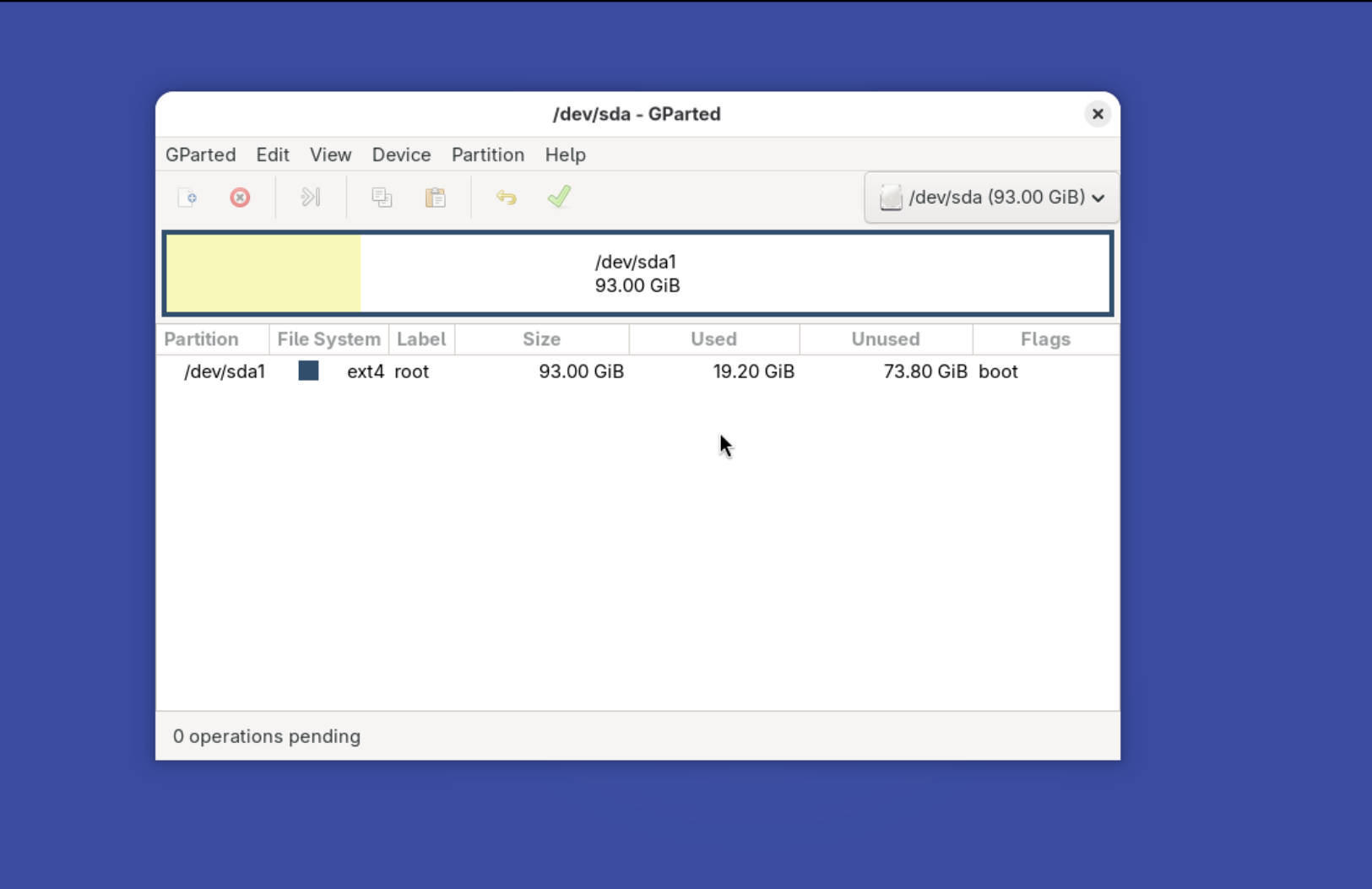
Remember to change the boot order back, SHUTDOWN and then start again.
Hopefully it worked out fine for you.